
Cameras, scripture, worship lyrics, lower thirds and multi-platform streaming — the whole Sunday production in one app your volunteers can actually run. Replace a rack of gear and a pile of subscriptions with a single, calm console that works 100% offline.
Pay once, own it. No subscription · Windows, Mac & Linux · Stream to YouTube, Facebook & your site at the same time
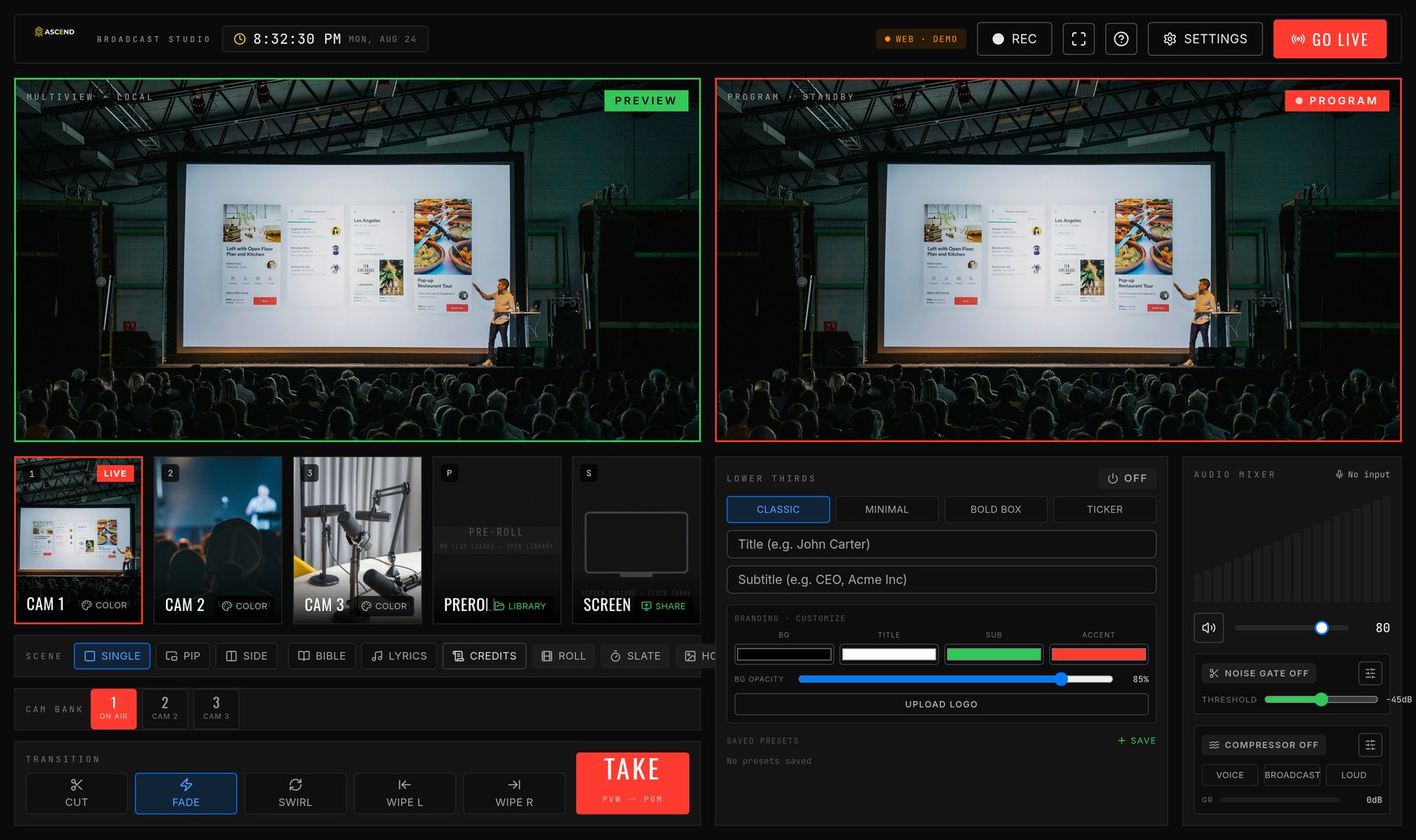 The actual console — not a mockup
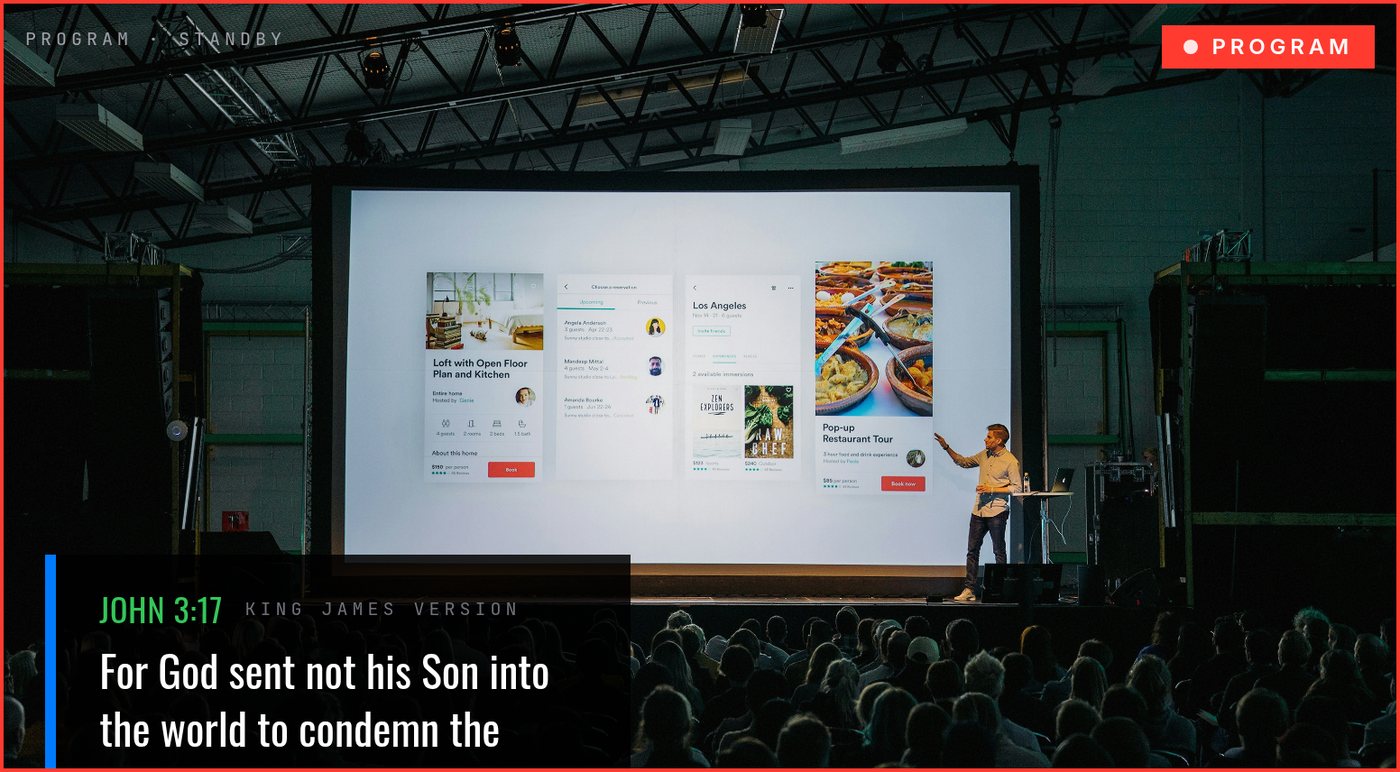
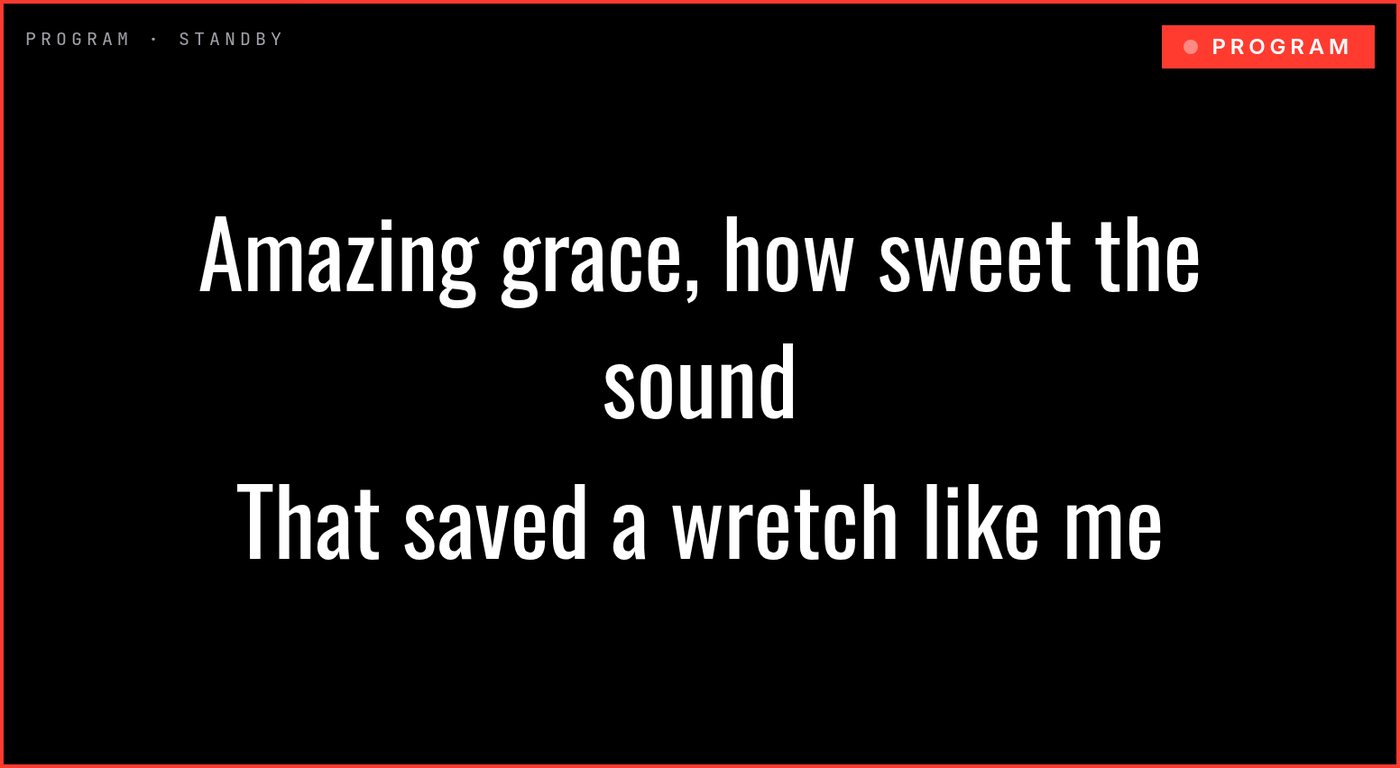
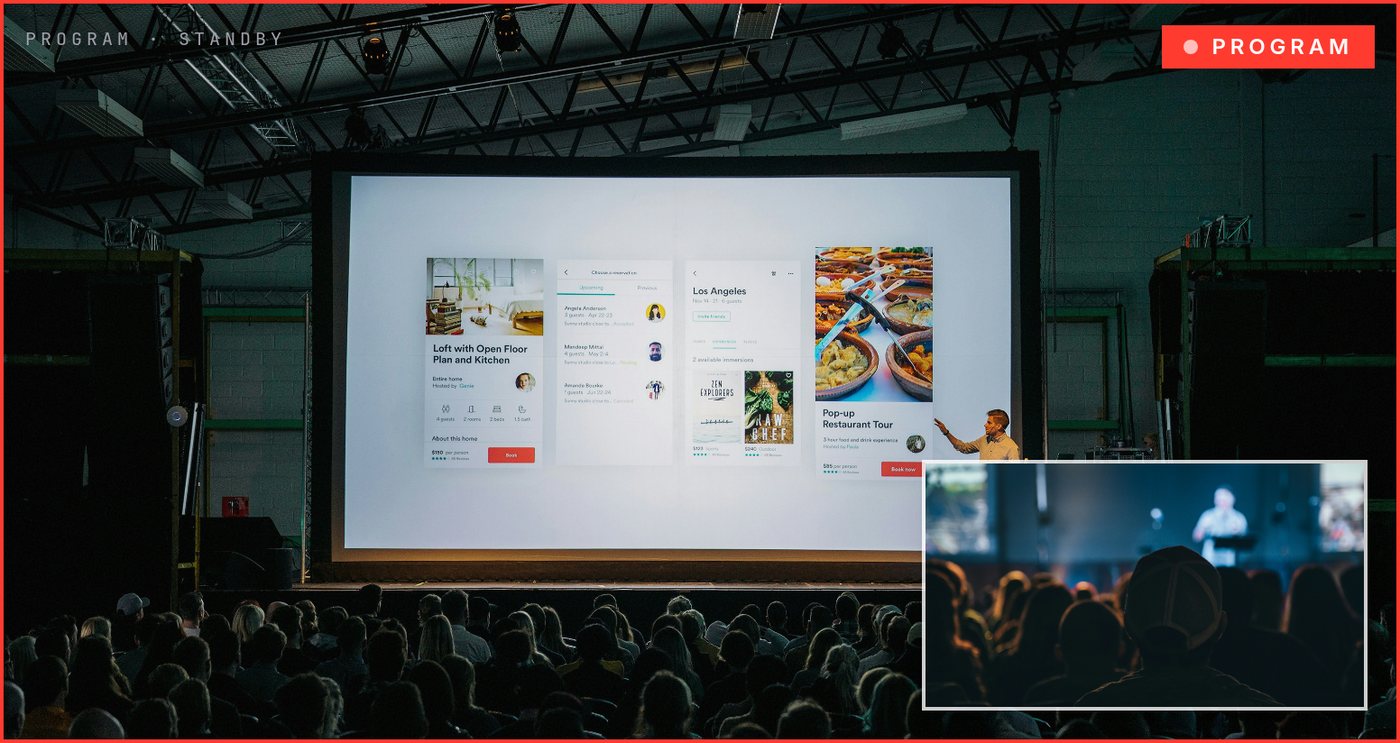
A 60-second look at going live, putting scripture on screen and running worship lyrics.
One app replaces a rack of hardware and a tangle of software. Built for volunteers, trusted for live.
Bring in every angle and switch instantly with Preview/Program and smooth transitions.
Name your speakers, add series titles and your church branding in a couple of clicks.
KJV, WEB & Spanish (Reina-Valera) bundled in — search a verse, queue a playlist, put scripture on the stream. Import extra translations too. No internet needed.
Full-screen, lower-third or corner lyrics with a searchable songbook. Import songs straight from CCLI SongSelect® — the license credit is shown automatically for reporting.
Loop designed announcement slides on a separate projector, stage or lobby screen — completely independent of what you're streaming.
Built-in noise gate and compressor keep speech clear and levels smooth without extra gear.
Go live to YouTube, Facebook and your website at the same time — no paid restream service. Record a clean MP4 while you stream.
No server, no monthly fees, no "waking up." Your data stays on your computer. Save named setups, and export a whole Sunday set list — songs, scriptures & announcements — in one file.
Runs on a standard church computer. Only the live stream itself needs internet.
OS: Windows 10/11 (64-bit), macOS 11+ (Apple Silicon & Intel), or 64-bit Linux.
CPU: quad-core (Intel i5 8th-gen / Ryzen 5 / Apple M1) minimum; 6–8 core i7 / Ryzen 7 / M-series recommended.
RAM: 8 GB minimum, 16 GB recommended.
Storage: 500 MB for the app + room for recordings (~1–2 GB per hour at 1080p; SSD recommended).
Display: 1920×1080 or higher; add a second display or projector to use the Announcements / lyrics Output window.
Upload speed: ~5 Mbps for one 1080p stream, plus ~5 Mbps for each extra destination.
Connection: wired Ethernet strongly recommended for live streaming.
Any camera the computer sees as a standard USB (UVC) video device — USB webcams, built-in cameras, or pro cameras via an HDMI/SDI→USB capture device (e.g. Elgato Cam Link). Up to 10 cameras + a screen-capture source. Use USB 3.0 ports for multiple 1080p feeds.
720p or 1080p per camera recommended; mixed resolutions are fine. You can also add network cameras — RTSP / ONVIF IP & PTZ cameras, or a phone/tablet (via IP Webcam / Larix) — straight over the network with no capture card (video only; NDI on the roadmap). Everything else — Bibles, lyrics, settings — works with no internet at all.
Want the details on paper? Download the full spec sheet (PDF) · One-page flyer (PDF)
Most churches juggle a presentation app plus a separate switcher on two machines. ASCEND does the whole job on one PC.
| Feature | ASCEND | OBS Studio | vMix | ProPresenter |
|---|---|---|---|---|
| Multi-camera switching | ✓ up to 10 | ✓ | ✓ | ✕ |
| Preview / Program (TV workflow) | ✓ | Studio Mode | ✓ | ✕ |
| Song lyrics on screen | ✓ file + set list | ✕ | titles only | ✓ |
| Scripture / Bible built-in | ✓ offline KJV·WEB·Spanish | ✕ | ✕ | add-on |
| Lower-third graphics | ✓ | manual | ✓ | ✓ |
| Countdown & hold / logo screen | ✓ | manual | ✓ | ✓ |
| Pro audio (noise gate + compressor) | ✓ | plugins | ✓ | ✕ |
| Live streaming + MP4 recording | ✓ | ✓ | ✓ | ✕ |
| Stream to multiple platforms at once | ✓ built-in | plugin / Restream | ✓ | ✕ |
| Auto-reconnect & quality guard for weak internet | ✓ | ✕ | manual | ✕ |
| Network / phone cameras (no capture card) | ✓ RTSP/IP | plugin | ✓ | ✕ |
| One-click updates | ✓ | manual | ✓ | ✓ |
| Runs on ONE PC (no 2nd machine) | ✓ | ✓ | ✓ | needs a switcher |
| Volunteer-friendly to run | ✓ | steep curve | complex | moderate |
| Works fully offline | ✓ | ✓ | ✓ | ✓ |
| Price | $49.95 once | Free | $60–$1,200 | $289 / yr |
✓ included · limited/add-on shown in grey · ✕ not available. Competitor names are trademarks of their owners; comparison based on publicly listed features & pricing (2026) and may change.
A simple path — and you're never blocked waiting on us.
One-time $49.95. All features, forever, no subscription.
Tell us your church name so we can issue your license key.
Grab the installer for Windows, Mac or Linux and set up your cameras.
Paste your key — or just start; you get 14 days free while it arrives.
Opening it the first time
Windows: if SmartScreen appears, click More info → Run anyway.
macOS: the app isn't yet notarized by Apple, so the first launch is blocked. Right-click (or Control-click) the app → Open → Open, or go to System Settings → Privacy & Security → Open Anyway. If it says "damaged", open Terminal and run xattr -cr /Applications/ASCEND.app. You only do this once.
Simple enough for a Sunday volunteer, powerful enough for your lead tech.
"Things on here got vMix beat — and I've used that for years! There's a lot we'll probably never use, but it's good to know we have it. LOVE IT!"
"Our stream tech picked this up in one sitting — so easy to use! Beats all the others we've tried. God bless the folks at ASCEND!"
Buy it once. Use it every service. No renewals, no seats, no surprises.
14-day free trial included · Works offline · Free email support
Drop your email and we'll send the download link + your 14-day free trial. No pressure, no spam.
✓ Got it! We'll email your download link & 14-day trial shortly.
We'll only use your email to send your download link and setup tips. Questions? sales@ascendbroadcastsolutions.com
Only for the live stream itself (RTMP). The app, settings and Bible all work completely offline — no cloud account, no monthly server. Perfect for buildings with spotty Wi-Fi.
Yes. $49.95 once, and you own it. Every feature is included — there are no add-ons or subscriptions.
Install it and use every feature free for 14 days. When your license key arrives by email, paste it in to unlock it permanently. If the 14 days pass before you activate, your settings are safely kept until you enter the key.
Windows 10/11, macOS 11+ (Apple Silicon & Intel) and most 64-bit Linux distros. Streaming and recording use a built-in encoder — no extra software required.